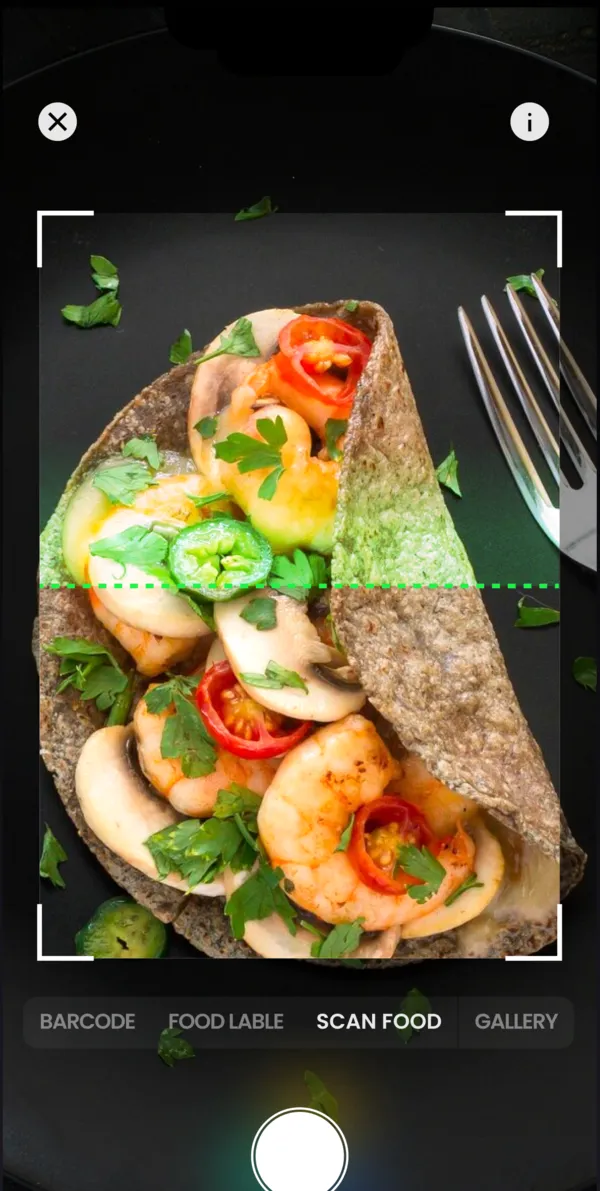
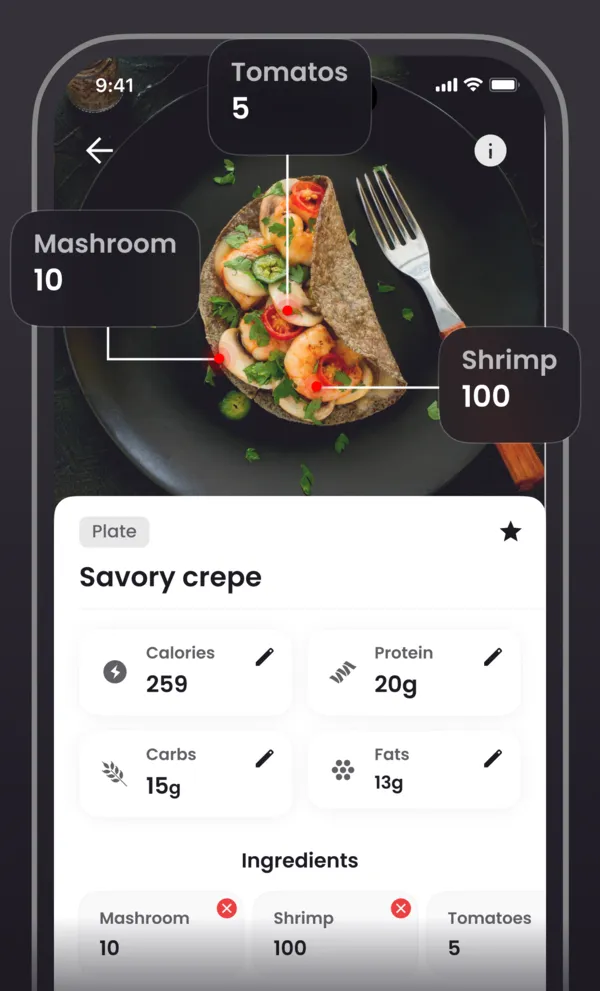
An AI calorie counter estimates what is on your plate from a single photo. It picks out each food, judges how much of it there is, and looks up the calories, protein, carbs and fat in a nutrition database. What you get is a fast first draft of the entry, not a measurement. Before you save it, check two things: that every ingredient made it into the list, especially cooking oil and sauces, and that the gram amounts look plausible.
Used that way, photo logging takes away the slowest part of tracking, which is searching for foods and typing in weights, while the final numbers stay under your control. Fixing a ready-made entry is quicker than building one from scratch.
What happens between the photo and the number
Research on image-based food recognition describes the same three stages that a calorie counter app goes through:
- Find the foods. The system separates the items on the plate and decides what each one is: rice, grilled chicken, broccoli.
- Estimate the portion. From the size of each item in the frame it estimates a volume and converts it to grams.
- Do the math. It takes the database values per 100 g and scales them to the portion.
The arithmetic is simple. If a food is listed at 150 kcal per 100 g and the portion is 220 g, the entry is 150 × 2.2 = 330 kcal. Protein, carbs and fat are scaled the same way. That is why the grams matter so much: the app can recognize a food correctly and still be off on the weight, and every gram of error goes straight into the total.
Where photo estimates go wrong
Misjudged portion sizes are one of the main sources of error in any food record, whether people describe portions in words, pick them from a photo atlas or let an app estimate them. These are the cases worth checking first.
| What trips it up | How to fix it |
|---|---|
| Cooking oil, butter, dressing. Barely visible in a photo, yet very energy-dense. | Add the oil or sauce you cooked with |
| Stews, curries, burritos, salads. Ingredients hide under one another. | Check the ingredient list: remove extras, add what is missing |
| Deep bowls and stacked food. A top-down photo cannot show depth. | Shoot at an angle and sanity-check the grams |
| Look-alike foods. Greek yogurt and sour cream, white and brown rice look almost the same. | Swap the food if it was misidentified |
| Drinks and extras. Sugar in coffee or milk in tea does not show up at all. | Log them as separate entries |
Oil deserves its own line. According to the USDA FoodData Central database, vegetable oil has 884 kcal per 100 g and a tablespoon weighs 13.5 g, which comes to about 119 kcal. One unlogged tablespoon a day adds up to more than 800 kcal a week.
A five-step check for accurate photo logging
- Get the whole plate in good light. Keep the full portion in the frame and avoid harsh shadows. For soup, porridge or a deep bowl, shoot at an angle so the level is visible.
- Review the ingredient list. Delete anything that is not in the dish and add what the camera could not see: the oil in the pan, a sauce, the cheese inside a wrap.
- Calibrate once with a kitchen scale. Weigh the portions you eat most often, such as your usual serving of rice, a chicken breast or a slice of bread. After that it is much easier to spot an estimate that is off, even without the scale.
- Use the label for packaged food. Yogurt, protein bars or cereal are more accurate logged by barcode or by the nutrition label than by a photo of the contents.
- Judge the day, not one meal. A small miss on one plate matters little if you log everything. The bigger problem is a meal or the cooking oil that never makes it into the diary, and in studies photos helped people forget fewer of the things they ate.
Macros from a photo
A photo-based calorie counter works as a macro tracker too: each photo entry gives you protein, carbohydrate and fat as well as calories, all calculated from the same grams. Protein and carbohydrate provide about 4 kcal per gram and fat about 9 kcal per gram; these are the standard Atwater factors described by the FAO. This is why a missed spoonful of oil moves the fat figure and the calorie total more than anything else.
To know whether a day is on track, you need a target. If you want to lose weight, that target usually sits slightly below what you burn, a gradual calorie deficit. The free macro calculator on this site gives a starting estimate from your age, height, weight, activity and goal, and the BMR calculator shows the resting part of that number. Both are formula-based estimates, not a prescription.
Estimate your daily calories and macros · Estimate your BMR
Is there a free AI calorie counter?
"Free" can mean a free download or free features, so before you settle on a free calorie counter or nutrition tracker, check what you can actually do without paying: photo recognition, manual entries, barcode scanning and your diary history. kkal.ai is free to download and offers optional in-app purchases; open the feature you need and read the terms on the purchase screen before you pay. The macro and BMR calculators on this site are free and need no sign-up.
When you compare apps, test them on the same meals: a home-cooked dinner, something in a package and a restaurant plate. Our guide to comparing free calorie trackers lists what else to look at, and the accuracy guide goes deeper into what a meal photo can and cannot estimate.
How to compare free calorie tracking apps · How accurate are AI calorie trackers?
When a photo is not enough
If your calorie target comes from a doctor or dietitian, or you need precise intake records, for example with diabetes, during pregnancy or in recovery from an eating disorder, follow your clinician's advice. A photo is a practical tool for an everyday food diary, but it does not weigh your portion.
The bottom line
An AI calorie counter removes the most tedious part of tracking: finding foods and typing in grams. Its accuracy rests on two quick checks, a complete ingredient list and believable portion sizes. Do them on a few meals you eat often and your photo entries will get noticeably closer to what is really on your plate.