If FatSecret is not working, the problem usually looks like one of four things: food search returns nothing, the barcode scanner does not recognise products, the app shows "session expired", or it does not load at all. In most cases the cause is one of three: a bug in a recent update, your connection (including network restrictions in some countries), or a stuck sign-in. Work through the checks below in order: update the app and your phone, restart, check the date and time, switch between Wi-Fi and mobile data, and test with and without a VPN. If nothing helps, save your diary history before you reinstall anything, and then decide whether to wait for a fix or move your food logging to another app.
None of these steps deletes your data except reinstalling the app, so leave that for last.
What users report after the October 2026 update
FatSecret version 11.9 appeared in the App Store on 6 October 2026 with the usual note about bug fixes and optimisations. In App Store reviews written in October, users most often describe the same problems: food search finds nothing or keeps loading, the barcode scanner stops recognising packages, the app does not load the diary, and a "session expired" message appears when signing in or searching. Some reviewers say the app only works properly with a VPN.
These are user reports, not an official statement from FatSecret. They are still useful: if you see the same symptom, you are probably not dealing with a problem on your phone alone, and some of the fixes below will not help until the service itself is fixed.
FatSecret not working: symptoms, causes and what to try
Find your symptom in the first column. The causes are listed from the most to the least likely for that symptom.
| Symptom | Likely cause | What to try first |
|---|---|---|
| Food search finds nothing or keeps loading | Connection problem, network restrictions, a bug in the update | Switch between Wi-Fi and mobile data, test with and without a VPN, update the app |
| Barcode scanner does not recognise products | Product search is not reaching the server, camera permission, poor light | Check that text search works; if it does not, fix the connection first; check camera access in the phone settings |
| "Session expired" when signing in or searching | Wrong date and time on the phone, connection dropping, a stuck sign-in | Turn on automatic date and time, restart the phone, then sign in again |
| The app does not open or closes at once | A bug in the update, an outdated system version | Force close the app, restart the phone, install all app and system updates |
| Works only with a VPN | Network restrictions in your country or by your provider | See the section on network restrictions below |
How to fix FatSecret step by step
- Force close the app and open it again. On iPhone, swipe up from the bottom, hold, and swipe the app away; on Android, open recent apps and swipe it away. This is the first step Apple recommends for any app that stops responding.
- Restart your phone. A restart clears temporary network and system problems that closing the app does not.
- Install updates. Check the App Store or Google Play for a newer FatSecret version, and update the phone's system too. If the problem started after an update, a fix usually comes as another update.
- Check the date and time. Turn on automatic date and time in the phone settings. Apple lists a wrong date and time among the reasons apps cannot connect, and a wrong clock is a common reason for sign-in and "session expired" errors.
- Try another network. Switch from Wi-Fi to mobile data or the other way round. On iPhone, also check that mobile data is allowed for FatSecret in Settings. If the app works on one network and not on the other, the problem is the connection, not your account.
- Test with and without a VPN. If you use a VPN or a security app, turn it off and try again. If you do not use one and nothing loads, the cause may be network restrictions (see below).
- Sign out and in again, only if you know your password. Before signing out, make sure you remember the email and password of your FatSecret account; otherwise you may lose access to your diary.
- Reinstall the app as the last step. Apple warns that when you delete an app you might lose data stored in it. Save what matters first (see below), then delete and download the app again.
- Contact the developer. If nothing helps, write to FatSecret support and describe the symptom, your phone, your system version and whether a VPN changes anything.
Network restrictions in some countries, including Russia
Sometimes the app is fine and the problem is the route between your phone and the service. Many apps and websites use Cloudflare, a large network that delivers their content. According to Cloudflare's own blog, since 9 June 2025 internet providers in Russia have been throttling connections to services protected by Cloudflare, so that only about the first 16 KB of each resource loads. In practice this means pages and apps that start loading and then stop.
In reviews, some users write that FatSecret's developers attribute the failures to Cloudflare. We did not find an official statement from FatSecret about this, so treat it as a likely explanation, not a confirmed one. If the app works with a VPN and fails without it, network restrictions are the most probable cause, and reinstalling or signing out will not fix it.
Keep in mind that such restrictions affect many services, not only FatSecret, and can hit any app that relies on servers abroad, including other calorie counters. If you decide to switch, check that the new app works on your own connection before you move your daily logging to it.
Save your history before you change anything
Years of food and weight entries are the hardest part to replace. Before reinstalling FatSecret or moving to another app, save what you would miss:
- Your goals: daily calories and the protein, fat and carbs targets you use.
- Weight history: take screenshots of the weight chart with the dates visible.
- Recipes you cook often: write down the ingredients, their weights and the weight of the cooked dish.
- Foods you eat every week: note the brand and the values per 100 g from the label.
Do not delete your FatSecret account until you are sure you have everything you need. The guide on how to switch from FatSecret goes through this step by step, including what to check in a new diary.
Wait for a fix or switch?
If the problem appeared after an update and the app works on another network or with a VPN, it is reasonable to wait a few days for the next version. Meanwhile, write down what you eat in a notes app or on paper so you do not lose days of your food diary.
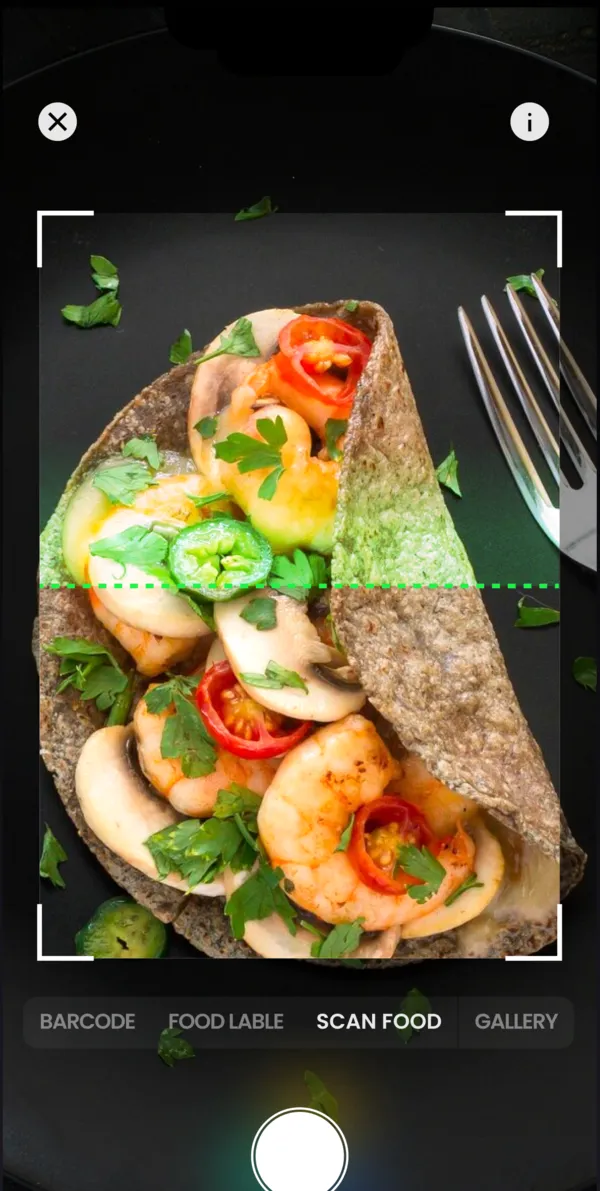
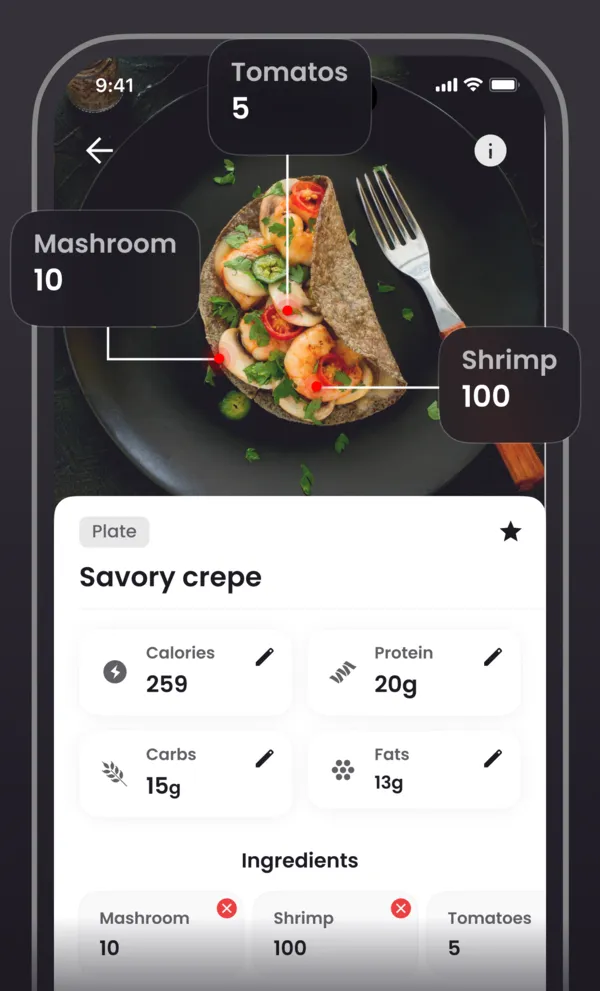
If the app has not worked for weeks, search and the scanner fail on every network, or you are tired of turning a VPN on and off for each meal, it makes sense to try another calorie counter. The overview of FatSecret alternatives compares several options. One of them is to log meals with a photo instead of searching a food database: an AI calorie counter estimates the calories, protein, fat and carbs from a picture of your plate, and you correct the portion if needed.
Whatever you choose, keep the same calorie target for the first week so you can compare. If you need to recalculate it, start with the guide to how many calories you need a day.