kkal.ai, FatSecret, Lifesum and MyFitnessPal come closest to YAZIO. Each keeps a food diary with calories and macros, and each has some way to log a meal from a photo. People usually start searching after YAZIO put its photo tracking into Yazio Pro, or after Pro turned out hard to pay for. Below we look at what each app does for free and at how you'd pay for the rest.
We make kkal.ai, so read our row with that in mind. It's free to download, and optional Kkal Pro subscriptions unlock extra features. What we write about the other apps we took from their help pages and App Store listings on 7 November 2026, the day this piece went up. Prices move, so open the listing again before you buy.
YAZIO alternatives compared
Rows use each company's own wording. In the last column: did Apple's store lookup for Russia find the app that same day?
| App | Photo logging | Barcode and other logging | What's free | Russian App Store |
|---|---|---|---|---|
| YAZIO | AI food tracking, Pro only | Barcode scanner, 4 million+ items in the database | Calorie counter, diary, barcode; photo logging, all fasting plans and full recipes are in Pro | Listed |
| kkal.ai | Yes | Barcode, manual entry, editing each ingredient | Free download; optional Kkal Pro, with plans and prices shown in the app | Listed |
| FatSecret | Image recognition of foods and meals | Barcode, food search | Listing says the app is free; extra features sit in Premium | Listed |
| Lifesum | Yes | Voice, text, barcode | Listing: free to use with limited features, Premium for the rest | Listed |
| MyFitnessPal | Meal Scan, Premium only | Barcode in Premium; food search free | Food and exercise logging, recipes, measurements | Not found |
"Listed" only means the lookup returned the app. It doesn't promise the online features will work on your connection, and that includes our own app. Install it and scan one meal where you live before you pay for anything.
What YAZIO gives you for free, and what it doesn't
Per the App Store listing, free YAZIO still has a food diary, calorie and macro goals and a barcode scanner. Photo logging is where it changed. The help center says AI food tracking started out free for all users and now belongs to Pro. Every fasting plan (16:8, 5:2 and others), the full recipe base and unlimited grocery lists sit there too.
Mind the billing. YAZIO takes the whole amount for the chosen period up front; monthly payments aren't offered. Choose twelve months and twelve months are charged on day one. There's a 7-day free trial, though YAZIO calls it an occasional website offer that you can't start from the app.
Never touched the photo scan, and the free diary is enough? Then staying put is fine. If photos are the point, start with the "Photo logging" column and see which apps charge for it.
Paying for Yazio Pro from Russia
Type the app's name into Russian Google and the payment question comes up near the top. We checked what we could. The Russian App Store still lists YAZIO. YAZIO itself says that if in-app purchase doesn't work for you, you can buy Pro on its website by credit card, PayPal, Apple Pay or SEPA debit in euros. Apple's list of payment methods by country doesn't include Russia at all; Armenia and Kazakhstan are on it.
Whether a Russian bank card works on YAZIO's site, we don't know. Kkal Pro is sold through the same App Store and Google Play, so it runs into the same payment limits. The free features are the part every app in the table gives you wherever you are. Test those first.
You'll find "Yazio Pro free" APKs in search, too. Don't install them. They come from outside the store, nobody can tell you what was changed, and that build would see your login and your food records.
How to switch from YAZIO without losing your numbers
- Write down your current targets. Calorie goal, protein, carbs and fat, starting weight and current weight. These matter more than the full history.
- Screenshot a typical week. YAZIO doesn't offer an in-app data export on iOS, Android or the web. You can ask its support for a copy of your personal data under GDPR, but screenshots are the quick way to keep a reference.
- Cancel Pro where you bought it. Deleting the app or the account doesn't stop the subscription, as YAZIO's cancellation page warns. App Store purchases are cancelled in your Apple settings, Google Play ones in Payments & subscriptions, and website ones in your account on yazio.com.
- Set up the new app. Enter the same targets, or recheck them with how many calories you need per day and the macro calculator.
- Weigh one meal you cook often. Count its calories by hand (our guide to calories in homemade food has the method) and log the same plate in the new app. Correct the portion and add the oil. How far off is it now?
- Log a normal week. A café lunch, a dinner at home, a snack at work. Keep whichever diary you still open on day five.
Fasting, recipes and language
For some people the fasting timer is the reason to stay. Check it in the new app before cancelling: MyFitnessPal has intermittent fasting in Premium, and we haven't confirmed a timer in every app in the table. A diary plus a fixed eating window works too.
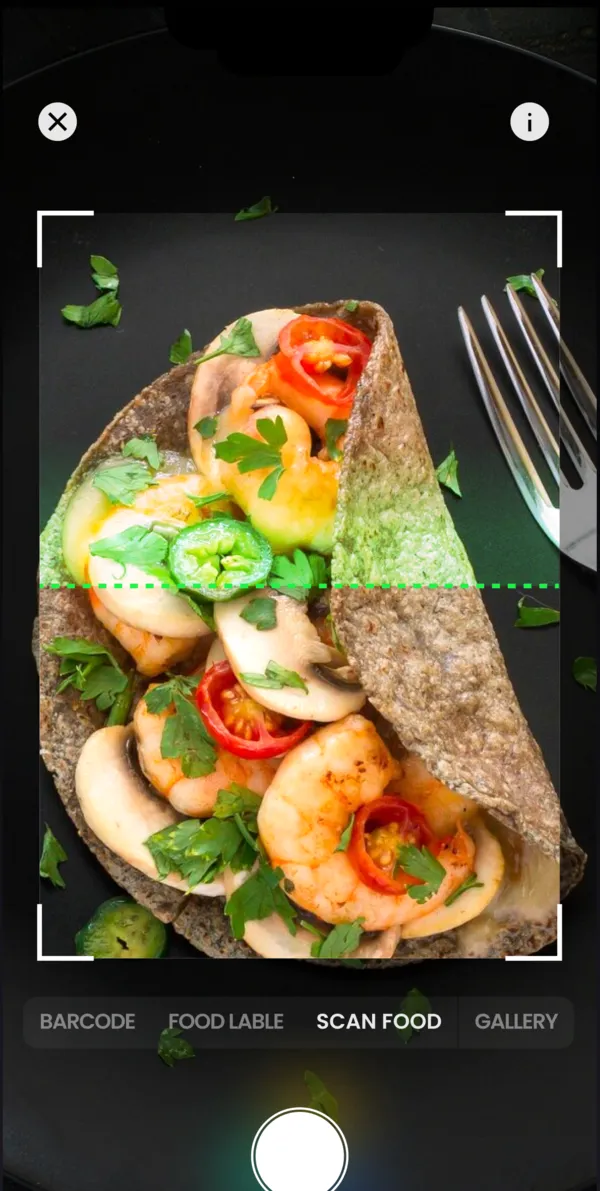
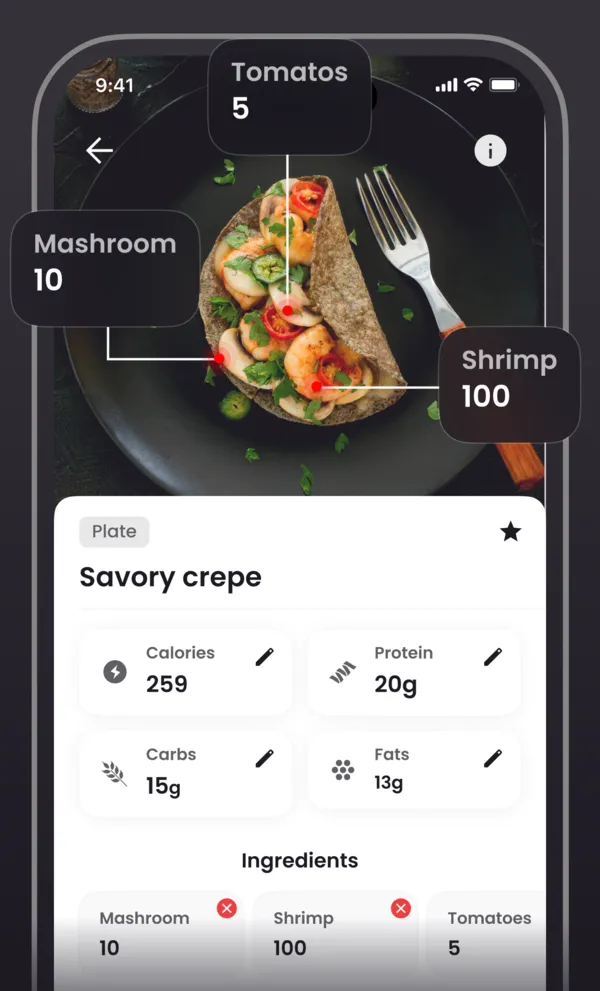
With recipes it's similar. YAZIO Pro has over 3,000 of them plus grocery lists; Lifesum's listing has meal plans with grocery lists. We built kkal.ai for logging what you really ate: you take a photo, then fix the grams of each ingredient. Cooking from a plan most days? A recipe app next to a diary may suit you better.
Then language. YAZIO's App Store page has Russian and Spanish, not Romanian, Kazakh, Armenian or Georgian; ours has all six. Point the camera at dolma, plov or borscht from your kitchen. A plain salad tells you little, every app gets that one. One more thing if YAZIO keeps showing foreign products: its help center treats the app language and the food database country as separate settings, and the database covers 249 countries and territories. Switching that under Profile, Settings, Food Database Country costs nothing and might be enough to keep you.
Leaving a different app? See our comparisons of Cal AI alternatives and FatSecret alternatives. Once you've chosen, the food diary guide shows what to look for in a week of entries.